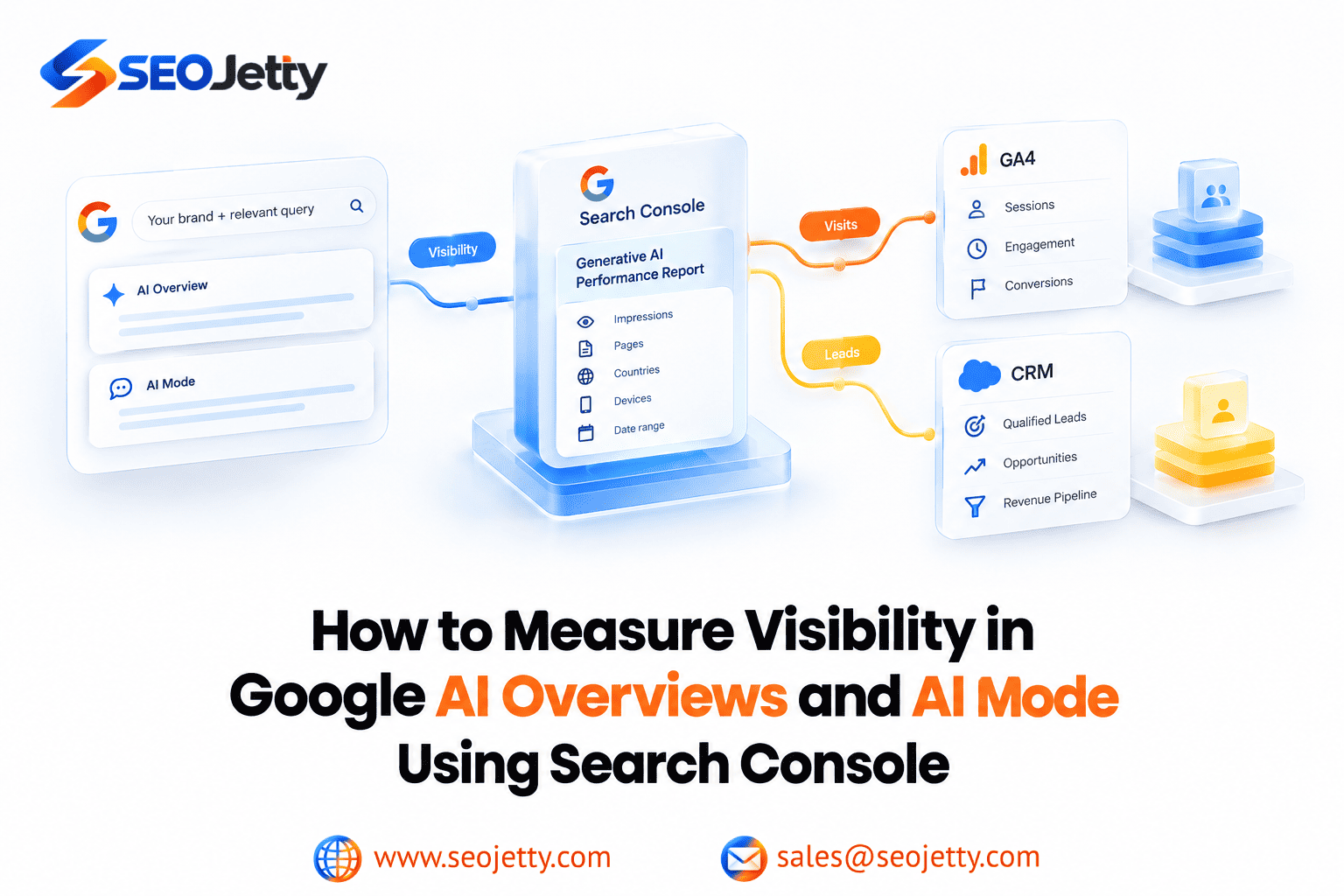
Can you tell whether your website appears in Google’s AI search features? Yes: Search Console now provides a dedicated view of generative AI impressions. Can that view tell you which appearances produced qualified leads? On its own, no.
For B2B SaaS and enterprise marketing teams, useful measurement connects three questions: where your pages gain visibility, whether those pages attract useful visits, and whether visitors become qualified prospects. Keep the evidence for each question separate.
What changed in Search Console?
Google announced generative AI performance reports on June 3, 2026, and says the insights completed their worldwide rollout on August 31. The reports provide a dedicated view of AI visibility while that activity remains included in overall performance reporting. Older advice that AI visibility is available only inside combined Web totals therefore needs updating.
See Google’s reporting announcement for the rollout details. This guide reflects documentation checked on October 9, 2026.
Start with the right report
Open the Generative AI performance report for Search for your property. It covers AI Overviews and AI Mode; Discover has a separate report. The documented metric is impressions, with page, country, device and date dimensions. Google does not document an AI Overview-versus-AI Mode breakdown, query dimension or dedicated click metric in this report.
Use it to establish visibility. Use the broader Search results report to investigate overall search traffic. Avoid dividing overall clicks by AI impressions: that would combine different populations and would not measure AI click-through rate.
The report documentation explains its scope. A missing report usually means insufficient AI impressions; absence is not proof of a penalty.
A short glossary for your reporting team
- Impression: A recorded appearance under Google’s visibility rules, not a unique person or proof that someone read your content.
- Click: An external-link click from an AI Overview or AI Mode can count in Search Console. An impression does not require a click.
- CTR: Clicks divided by impressions. Only calculate it for matching datasets.
- Average position: A result-position measure, not a score for how strongly an AI answer recommends your brand. Links within an AI Overview share that overview’s position.
- Qualified lead: A prospect meeting your business’s agreed qualification rules. Define these rules with sales before reporting results.
Google’s measurement definitions also explain that an AI Mode follow-up question counts as a new query.
Build a practical monthly measurement workflow
1. Choose a business-relevant page group
Start with a manageable group of pages that support one buying decision. For an enterprise software company, that might include an implementation guide, integration documentation, a comparison page and a product page.
Write down what each page should help a buyer do. This prevents a high-volume educational article from being judged against the same immediate lead target as a demo page.
2. Establish a consistent visibility baseline
As a starting recommendation, compare two complete 28-day periods. Keep the same page group and examine the United States and United Kingdom separately. Check mobile and desktop when a change needs investigation.
Keep search-type filters consistent: the report distinguishes text-based and multimodal Web searches. Avoid preliminary data. Property-level chart totals and page-level totals can differ because their aggregation differs.
Record the selected filters alongside each export. Treat any change in scope as a reporting change, rather than silently comparing it with the previous baseline.
3. Compare visibility with overall search performance
For the same pages, review clicks, impressions and CTR in the broader Search results report. Label these as overall search measures, even when the pages also appear in AI features.
Ask what deserves investigation: did visibility grow for a commercially relevant guide, while visits stayed flat? Did the product page attract fewer visitors but better prospects? These are questions to investigate, not automatic evidence that AI search caused the change.
4. Examine what visitors do in GA4
In GA4, review the same landing pages with a session source/medium filter for google / organic. Assess engagement and meaningful actions, such as a completed demo request or trial registration. Test that the relevant events fire correctly before using them in a management report.
Google recommends using Search Console for search performance and Analytics for on-site behavior. Their clicks and sessions will not match exactly; consent, tagging, time zones and URL handling can explain discrepancies. See Google’s guide to comparing the two tools.
This comparison gives you page-level context. It does not establish that a particular GA4 session came from a particular AI impression. Do not label every Google organic conversion on an AI-visible page as an AI-generated lead.
5. Follow lead quality into your CRM
Where your tracking supports it, retain landing-page and acquisition information with each lead. Review sales acceptance and opportunity creation after allowing enough time for your normal sales cycle.
Report the attribution method and its limits. A lead associated with Google organic search is useful evidence, but it is not automatically attributable to AI Overviews or AI Mode. A voluntary “How did you hear about us?” response can add context; treat it as self-reported evidence.
An example of an honest performance interpretation
Illustrative example only: An integration guide records 2,000 AI impressions in one period and 3,000 in the next. Google organic landing-page sessions move from 400 to 420. Completed demo requests from those sessions remain at eight.
The defensible interpretation is that AI visibility increased by 50%, Google organic sessions increased by 5%, and demo requests were unchanged. The figures do not establish that AI search produced the extra 20 sessions.
A useful next step is to inspect whether the guide answers the integration questions buyers actually ask, then check whether its next action suits their stage of evaluation. Improving a relevant product link or clarifying implementation requirements is a testable change. Calling the visibility increase a revenue win is premature.
Investigate missing data and sudden changes
If visibility is unexpectedly absent, review Settings > Search generative AI, including any inherited setting. Google’s generative AI control documentation explains how inclusion and exclusion work. Confirm the owner’s intended policy before changing it.
For abrupt changes, check tracking changes, site releases, redirects and content edits alongside Google’s Search Console data anomalies log. A reporting error can affect the graph without representing a real visibility loss.
Keep a dated change log and investigate one plausible explanation at a time. If you manually inspect an AI answer, save the query, market, device and date. Treat the observation as a snapshot, not a measure of how often all buyers see that answer.
Make the report useful for decisions
A concise monthly review should identify which relevant pages gained visibility, what happened to their Google organic engagement, how lead quality changed, and what the team will investigate next.
Assign an owner and review date to each action. If visibility improves without useful engagement, revisit the page’s purpose and next step. If qualified opportunities improve, document the supporting evidence and attribution limits before expanding the work.
For support with the content and search strategy behind this measurement, explore SEO Jetty’s AEO and next-generation SEO services.